Health Insurance Portal Not Working Abroad? Fix for Bupa, AXA and Cigna (2026)
Need to submit a claim, download your insurance certificate or request pre-authorisation, but your health insurance portal will not load abroad? It happens to expats more often than it should. Some portals block logins from outside the policy’s home country, others challenge or lock accounts that suddenly sign in from a new country, and some networks in the Gulf and Asia interfere with the connection altogether.
A VPN fixes all three in a couple of minutes. Connect to a server in your policy’s home country, usually the UK, and the portal sees the same kind of connection it sees when you are at home. Here is how it works for Bupa, AXA, Cigna, Allianz and Aviva.
🏆 Reach Your Insurance Portal From Anywhere
NordVPN gives you a stable home-country connection, so your insurer’s portal and app load and your login is not flagged.
30-day money-back guarantee · 78% off + 3 months free
Why Health Insurance Portals Fail Abroad
Domestic policies with domestic portals. A UK policy from Bupa UK, AXA Health, Aviva or Vitality is designed for UK residents. Their portals and apps can block, limit or challenge logins from abroad.
Security checks on unfamiliar logins. Even international insurers watch for sign-ins from new countries, hotel WiFi or shared addresses. The result is a locked account, endless security questions or a code sent to an old number.
Restricted networks. In the UAE, Qatar, Saudi Arabia and China, local networks filter traffic, so portals and apps can time out or fail to load.
App store regions. Some insurer apps are only listed in your home country’s App Store or Google Play, so they cannot be downloaded abroad.
How to Access Your Health Insurance Portal Abroad
- Get NordVPN or Surfshark. Both have a 30-day money-back guarantee and apps for iPhone, Android, Windows and Mac.
- Connect to your policy’s home country, usually the UK for Bupa UK, AXA Health and Aviva, or the country where your international policy is administered.
- Open the portal or app and sign in. Use a fresh browser tab, so no old location data is reused.
- Complete your task: submit the claim, download the certificate or send the pre-authorisation form, then disconnect.
For the smoothest logins, use the same server every time, or a dedicated IP from NordVPN. A consistent address means far fewer security checks.
Insurer by Insurer: What to Expect Abroad
Bupa Global and Bupa Expat Plans
Bupa Global international plans are made for expats, and the member portal and app are built to work worldwide, whether you live in Ireland, Southeast Asia, Japan, Italy or Egypt. Problems usually come from security checks, public WiFi or restricted networks rather than a deliberate block. A stable UK or home-country connection keeps logins smooth. Bupa UK domestic policies are different: the UK portal is designed for UK residents and is more likely to block logins from abroad.
AXA Health and AXA Global Healthcare
AXA Health is the UK domestic business, and its online services are built for UK members. AXA Global Healthcare covers international members and is designed for use abroad. If you hold a UK AXA Health policy, connect to a UK server before you sign in.
Cigna Global and Cigna Envoy
Cigna Global and the Cigna Envoy portal for employer plans are used by expats worldwide. Members in the Gulf and Asia most often report problems caused by local network filtering. NordVPN with obfuscated servers, or Proton VPN with Stealth, gets the portal loading again.
Allianz Care, Aviva and Vitality
Allianz Care is an international insurer with worldwide online access. Aviva and Vitality UK policies are domestic, so their apps and portals work best on a UK connection.
Not sure which kind of policy you have? Check your policy schedule. If it lists a worldwide area of cover, the portal should work abroad, and a VPN mainly helps with security checks and restricted networks. If it is a UK policy, a UK server is the reliable fix.
Best VPNs for Health Insurance Portals Abroad
1. NordVPN: Best Overall
NordVPN is our first choice. It has large UK, US and European networks, a dedicated IP option that keeps your login address consistent, and Threat Protection that blocks trackers on medical sites. The mobile app reconnects in seconds, which matters when you are filing a claim from a hospital waiting room. 30-day money-back guarantee. Read our NordVPN review.
2. Surfshark: Best Value for Families
Surfshark covers unlimited devices, so every family member on the policy can sign in from their own phone. Static IP servers in the UK, US and Germany give insurers a consistent address. Read our Surfshark review.
Cover the Whole Family’s Insurance Logins
Surfshark covers unlimited devices, with static IPs in the UK, US and Germany for a consistent login address.
30-day money-back guarantee · 87% off + 3 months free
3. Proton VPN: Best for Privacy
Proton VPN is Swiss, open source and independently audited, the strongest privacy choice for medical and financial accounts. Its Stealth protocol connects on restricted networks in the Gulf and Asia. Read our Proton VPN review.
Before You Travel: A 5-Minute Checklist
- Save your insurer’s international emergency number in your phone
- Download your policy schedule and insurance certificate as PDFs
- Install the insurer’s app while you are still at home
- Make sure security codes reach you abroad, or switch them to email
- Install and test your VPN on your phone and laptop
Does a VPN Affect Your Claim?
No. A VPN only changes the address your device shows to the portal. Your policy, your identity and the medical information you submit stay exactly the same, and claims are assessed on treatment and documents. If a portal still refuses access, your insurer’s international helpline can take the claim by phone or email.
The same VPN also gets you into NHS login, GOV.UK One Login, HMRC and UK online banking from abroad.
Claim, Check and Download From Anywhere
A home-country connection keeps your insurance logins smooth wherever you live. 30-day money-back guarantee.
Best Overall
NordVPN
UK, US and EU servers plus a dedicated IP for trusted logins.
30-day money-back guarantee · 78% off + 3 months free
Best Value
Surfshark
Unlimited devices and static IPs for the whole family.
30-day money-back guarantee · 87% off + 3 months free
Best Privacy
Proton VPN
Swiss privacy and Stealth for the Gulf and Asia.
30-day money-back guarantee · 70% off
Health Insurance Portal Abroad: FAQ
Can I use my Bupa Global portal abroad?
Yes. Bupa Global international plans are built for members living abroad, and the portal and app normally work worldwide. If a login is challenged or blocked, it is usually a security check on an unfamiliar or public connection, or a restricted network in your country. A stable home-country VPN connection usually solves it.
Why does my Bupa UK or AXA Health portal not work abroad?
Domestic UK policies are designed for people who live in the UK, and their portals and apps can block or challenge logins from abroad. Connect to a UK server and sign in as you would at home.
Which UAE insurers allow policy access from any country?
International plans from insurers such as Bupa Global, Cigna Global, Allianz Care and AXA Global Healthcare are designed for worldwide access, including online claims. Local UAE policies are often limited to the UAE network. Check your policy schedule or ask your broker.
Does using a VPN affect my insurance claim?
No. A VPN only changes the address your device shows to the portal. Your claim is assessed on your policy, your treatment and your documents, not on your IP address at login.
Why is my security code not arriving abroad?
Codes are often sent by text to the number on your policy. Make sure your UK number can receive texts abroad, or ask your insurer to switch codes to email or an authenticator app before you travel.
Is a free VPN safe for my health insurance account?
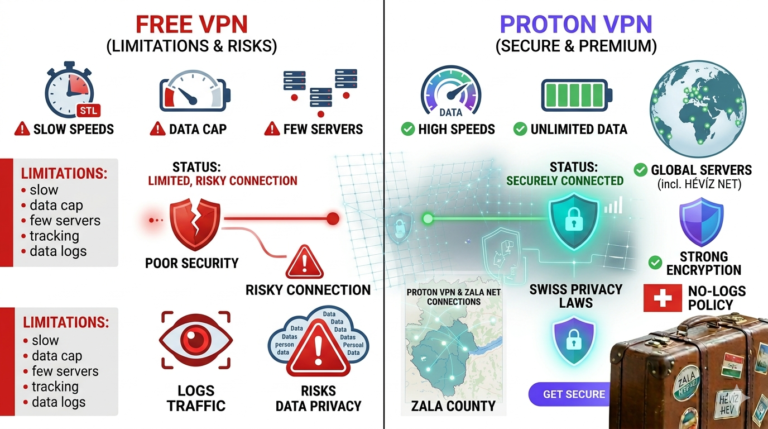
No. Free VPNs often log and sell browsing data, and their shared addresses are more likely to trigger security checks. Use a paid VPN with an audited no-logs policy for medical and financial accounts.
Related Guides
- NHS Login Not Working Abroad
- NHS App Not Working Abroad
- Expat GP Telehealth Abroad
- Expat Prescription Renewal Abroad
- EHIC / GHIC Checker Abroad
- US Expat Medicare Portal Abroad
- SafetyWing Review
- Expat Travel Insurance: Worldwide Cover
Expat Essentials
Affiliate Disclosure: This article contains affiliate links. If you purchase through them, we may earn a commission at no extra cost to you. We only recommend VPN providers we have tested and trust.