Lloyds App Not Working Abroad? Fixes for Lloyds, Halifax and Bank of Scotland (2026)
You are sitting in a café in Alicante or a hotel in Bangkok, you open your banking app and it refuses to let you in. For millions of customers of Lloyds and Halifax, this is a familiar travel moment. A Lloyds app not working abroad usually has a simple cause, and in most cases you can fix it yourself in a few minutes.
Lloyds, Halifax and Bank of Scotland all belong to Lloyds Banking Group, and their apps work in a similar way. This guide covers all three, explains why they block foreign logins and shows the fixes that work best for travellers and expats.
Lloyds App Not Working Abroad: First Things to Try
Start with these simple checks before anything else. Many cases of a Lloyds app not working abroad disappear after one of them.
Update the app. Install the latest version of the Lloyds or Halifax app and restart your phone. Security updates are frequent, and old versions are often the cause.
Keep your UK SIM reachable. Leave your UK SIM in your phone and enable roaming when you expect a security code. Dual-SIM phones make this easy while you use a local SIM for data.
Change network. If hotel WiFi fails, try mobile data, and if mobile data fails, try another WiFi network. A different connection often works immediately.
Use official contact details only. If the app shows a security block, contact Lloyds Bank or Halifax through the number on your card or the official website. Never call numbers from unexpected texts or emails.
🏆 Best VPN for the Lloyds and Halifax App Abroad
NordVPN gives you a UK IP address, so the Lloyds, Halifax and Bank of Scotland apps see a normal login from home. A dedicated UK IP is available for even fewer security checks. 30-day money-back guarantee.
How to Fix Lloyds App Not Working Abroad With a VPN
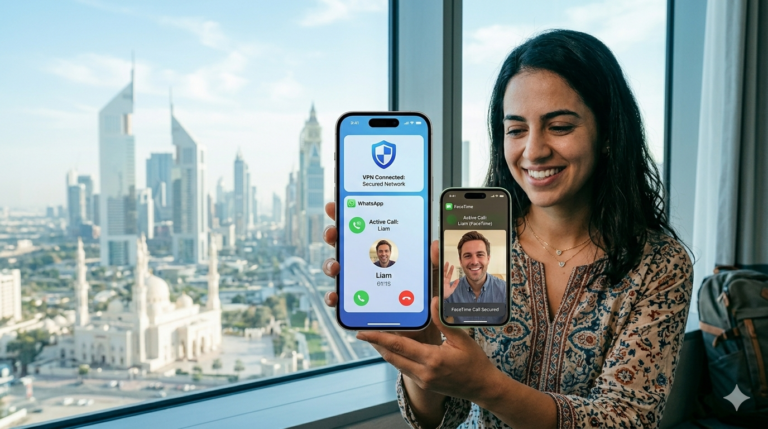
If the problem is your foreign location or an unsafe network, a VPN is the most dependable fix. It encrypts your connection and sends it through a UK server, so your banking app sees a familiar British connection.
Step 1: Sign up for NordVPN. Visit the NordVPN website and pick a plan. NordVPN has more than 440 UK servers and an optional dedicated UK IP address for banking.
Step 2: Install the NordVPN app. Download it from the App Store or Google Play and sign in. If you can, do this before you travel, because some countries restrict VPN apps.
Step 3: Connect to a UK server. Open NordVPN and connect to the United Kingdom, ideally choosing the same city every time. A consistent location makes your logins look normal.
Step 4: Open your Lloyds or Halifax app. Log in as usual and complete any security check the app requests. The bank now sees a secure UK connection.
Step 5: Stay on the same location. Use the same UK server for future logins instead of switching countries. Frequent changes look suspicious to any bank.
These steps fix a Lloyds app not working abroad for most travellers within minutes. If the app still refuses, try a different UK server or use a dedicated UK IP, explained below.
Halifax and Bank of Scotland: Same Fixes Apply
Halifax and Bank of Scotland use the same banking platform and similar security systems as Lloyds. That means the causes and the fixes in this guide apply to all three apps.
Many customers hold accounts at more than one of these banks, for example a Lloyds current account and a Halifax savings account. One UK VPN connection covers all of them at the same time, as well as your other UK apps.
If only one of the apps fails while the others work, update that app first. Then check whether it needs a separate security code sent to your UK number, which is a common reason one app works and another does not.
Lloyds App Not Working Abroad in Popular Expat Countries
The cause of the problem often depends on where you are. Here is what British travellers and expats most commonly experience in popular destinations.
Spain, Portugal and France. Within the EU, a Lloyds app not working abroad is usually caused by a security check after arrival or by a code that cannot reach a switched-off UK SIM. Many UK mobile plans include EU roaming, so keeping your UK SIM active is often enough.
The UAE and the Gulf. Networks in the region manage internet traffic more strictly, and some connections are filtered. Using a reputable VPN for legitimate purposes such as banking is widely practised, but always follow local rules.
Thailand and Southeast Asia. Long flights, new SIM cards and hotel WiFi are the usual triggers here. Because of the time difference, calling UK support can be difficult, so fixing a Lloyds app not working abroad yourself with a UK server saves a lot of waiting.
The United States and Canada. Card payments sometimes trigger extra fraud checks in North America, especially at petrol stations and self-service machines. Watch the app for notifications asking you to confirm a payment.
Why a Dedicated UK IP Is the Best Setup
Standard VPN servers are shared by many people, and banks sometimes treat shared VPN addresses with extra caution. A shared server can occasionally trigger the very security check you want to avoid.
A dedicated IP is a UK address used only by you. Every login comes from the same British address, which looks just like a customer banking from home.
For expats who use Lloyds or Halifax every week, a dedicated IP is the most stable option. It is an optional add-on in NordVPN and saves a lot of stress whenever a Lloyds app not working abroad would otherwise block a payment.
Best VPN for Lloyds and Halifax Abroad
When your aim is to stop a Lloyds app not working abroad for good, choose a VPN built for security. Look for strong encryption, a large UK network, an audited no-logs policy and the option of a dedicated IP.
NordVPN is our first choice. It combines hundreds of UK servers, an optional dedicated UK IP and apps for every device. One account covers up to 10 devices, and the 30-day money-back guarantee lets you try it without risk.
Proton VPN is a strong alternative. It is based in Switzerland, has an audited no-logs policy and offers UK servers. Choose Proton VPN if privacy is your main concern.
Do not use free VPNs for banking. They are often slow, share addresses among huge numbers of users and may collect your data, which is exactly the risk you want to avoid.
🔒 Proton VPN: Private Banking on Public WiFi
Swiss no-logs protection for your banking on hotel and café WiFi, with UK servers and a flexible monthly plan. 30-day money-back guarantee.
Moving Abroad Permanently With Lloyds or Halifax
A holiday or business trip is rarely a problem, but moving abroad for good is different. Every UK bank has its own rules for customers who live overseas, and these rules can change.
Some UK banks have restricted or closed accounts for customers living permanently in certain countries, particularly after Brexit. Before you move, check the terms for your new country and keep your address and phone number up to date.
A VPN fixes location-based login problems, but it does not replace the bank’s own rules for overseas customers. Being open with your bank about where you live protects your account in the long term.
Stay Safe With Your Banking App Abroad
A Lloyds app not working abroad is annoying, but falling for a scam is far more costly. Tourist areas attract fake bank texts, cloned WiFi hotspots and phishing emails.
Never share security codes. Your bank will never ask for your full password or a one-time code by phone, text or email. If anyone asks, hang up and contact the bank yourself.
Protect public WiFi connections. Anyone on the same hotel or airport network may try to watch your traffic. A VPN encrypts everything, so your login details stay private.
Check your statements regularly. Review your transactions in the app every few days while you travel. Spotting an unknown payment early makes it much easier to stop.
Why Is the Lloyds App Not Working Abroad?
Your bank watches every login for signs of fraud. When the app suddenly connects from a new country, an unknown network or a changed device, it may ask for extra checks or block access for a while.
Several causes can combine, which is why the problem sometimes seems random. Knowing which one applies to you is the quickest way to solve a Lloyds app not working abroad.
Location-based security checks. A first login from Spain, Portugal, Thailand or the UAE can look unusual to the bank. The app may ask you to confirm your identity or stop the login entirely.
Codes that go to your UK phone. Some checks send a code by text or call to your registered UK number. If your UK SIM is switched off or roaming is disabled, you cannot receive it.
Unsafe or restricted WiFi. Hotel and airport networks sometimes block secure connections or use settings banking apps dislike. In a few countries, local networks also interfere with banking traffic.
An outdated app. Older app versions can stop working after a security update. If your app store is set to another country, updates may not appear straight away.
🎯 Choose Your VPN for UK Banking
All VPNs offer 30-day money-back guarantees
Frequently Asked Questions
Why is my Lloyds app not working abroad?
The usual causes are security checks on foreign logins, codes that cannot reach your UK number, restricted WiFi and outdated app versions. Updating the app, enabling roaming and using a UK VPN server solve most cases.
Does the same fix work for the Halifax app?
Yes. Halifax and Bank of Scotland belong to Lloyds Banking Group and use similar security systems. The same updates, roaming settings and UK VPN connection fix all three apps.
Can I use a VPN with the Lloyds app?
Yes, many customers use a VPN to protect their connection on public WiFi. Connect to a UK server and keep the same location. If a shared server is blocked, switch servers or use a dedicated UK IP.
What if I cannot receive a security code abroad?
Keep your UK SIM in your phone with roaming turned on, or use a dual-SIM phone. If the code still does not arrive, contact your bank through the number on your card.
Which VPN is best for a Lloyds app not working abroad?
NordVPN is our first choice thanks to its large UK network and optional dedicated UK IP. Proton VPN is a good privacy-focused alternative. Both offer a 30-day money-back guarantee.
Can I keep my Lloyds account if I move abroad?
It depends on the bank’s rules for your new country, which can change over time. Check the terms before you move and keep your contact details up to date.
Related Guides
- Barclays App Not Working Abroad
- Monzo Not Working Abroad
- Which Banks Block VPNs?
- Does My Bank Know I Am Using a VPN?
- VPN for Online Banking While Travelling
- Best VPN for UK Expats
Expat Essentials
Affiliate Disclosure: This article contains affiliate links. We may earn a commission at no additional cost to you.