
How to Watch TOD TV Abroad (2026): Premier League and Champions League Guide
Yes, you can watch TOD TV abroad, and it takes about two minutes: connect a VPN to a UAE server and it plays exactly as it does at home.
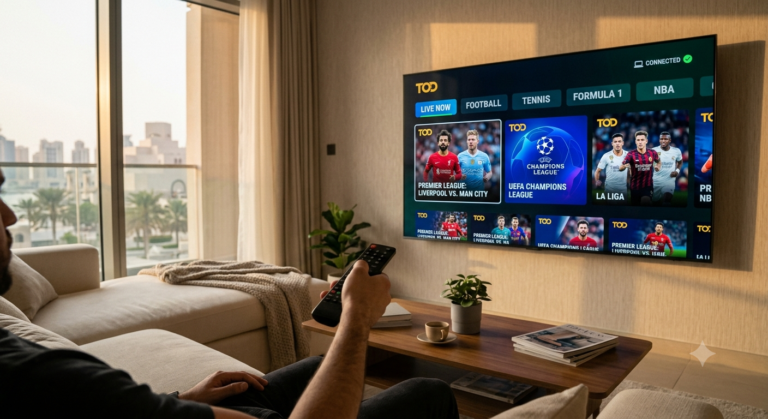
Wondering how to watch TOD TV abroad? TOD (formerly beIN Sports Connect) is the leading sports streaming platform in the Middle East and North Africa — home to Premier League, LaLiga, UEFA Champions League, Serie A, and major international football. It is geo-blocked outside the MENA region, meaning expats who leave Qatar, UAE, Saudi Arabia, or Egypt immediately lose access to live matches they are paying for.
The good news: yes, you can still watch TOD from abroad. This guide shows you the solution we recommend for 2026, why ordinary VPNs stopped working in late 2025, and how to set everything up in a few minutes.
Our pick is Mysterium VPN, which uses real home IP addresses in the Gulf. Full step-by-step setup below.
Editor’s Choice for TOD Abroad
Mysterium VPN — Real Home IPs for TOD
Mysterium VPN connects you through real home internet connections in the Gulf, so you can watch your matches from anywhere. No tech skills needed. Apps for iPhone, Android, Windows and Mac. 30-day money-back guarantee.
How to Watch TOD TV Abroad: What Works Now
A VPN with MENA region servers used to be a simple fix — connect, and TOD sees a valid MENA IP address. Since late 2025, TOD detection systems check more than just your IP country, so most standard VPN servers now get flagged and blocked.
The answer is a VPN that is built and maintained specifically for TOD. Mysterium VPN uses real home IP addresses in the Gulf, so the TOD app sees an ordinary viewer in the region instead of a blocked VPN server.
If you prefer a home internet connection in the Gulf, CometVPN with Native Residential IPs is our second choice. For a deeper look at what changed, see our TOD TV outside MENA guide.
Step-by-Step: How to Watch TOD TV Abroad in 2026
- Get Mysterium VPN through our link — you are covered by the 30-day money-back guarantee
- Download the Mysterium app on your phone or laptop (iPhone, Android, Windows or Mac) and log in
- Filter for residential (home IP) nodes so TOD sees an ordinary home connection
- Choose a server in the country of your TOD subscription, for example the UAE, Qatar, or Saudi Arabia
- Click Connect and wait for the connection to become active
- Open TOD TV at tod.tv or in the app, log in, and start watching
If you see an error such as 2004, 1108, or 1400, close the TOD app, clear its cache or your browser cookies, reconnect Mysterium, and open TOD again.
Yes, I want Mysterium VPN — home IPs for TOD, 30-day money-back guarantee
What Sports Can You Watch on TOD TV Abroad?
Once you are connected, your TOD subscription covers the full sports rights portfolio for the MENA region:
- Premier League: All 380 matches per season live
- UEFA Champions League: Full knockout stage and league phase matches
- LaLiga: Complete Spanish top-flight coverage
- Serie A: Italian football live
- UEFA Europa League and Conference League
- Ligue 1: French football including PSG
- beIN Sports channels: 24/7 sports coverage across multiple channels
- Tennis: Grand Slam tournaments and ATP/WTA coverage
- Formula 1: Live race coverage in the MENA region
Best VPNs to Watch TOD TV Abroad
1. Mysterium VPN — Editor’s Choice for TOD (2026)
Based on our research, Mysterium VPN works well with TOD and is the first option we recommend. It connects you through real home IP addresses in the UAE, Qatar and Saudi Arabia instead of datacenter servers, which TOD is far less likely to flag during a live match.
Apps are available for iPhone, Android, Windows and Mac. It comes with a 30-day money-back guarantee, so you can test it with your own TOD account first. Try Mysterium VPN risk-free here.
2. CometVPN Native Residential — Home IPs in the Gulf
CometVPN routes your connection through real home internet addresses in the UAE or Qatar with its Native Residential option. TOD is far less likely to flag a household IP than a datacenter server, which makes CometVPN a strong second choice.
Native Residential data is billed per GB on top of the base plan. A full HD football match uses around 3 to 5 GB, so switch back to a standard server for everyday browsing.
| CometVPN Plan | Price | |
|---|---|---|
|
24 Months
30% off + 3 months free
|
$31.75
$1.18/mo
|
Try CometVPN Risk-Free → |
|
12 Months
20% off + 1 month free
|
$24.00
$1.85/mo
|
Try CometVPN Risk-Free → |
|
1 Month
10% off
|
$8.99
first month
|
Try CometVPN Risk-Free → |
Discount applied automatically through our links, no code needed. Every plan includes 1 GB of residential home IPs for free. 30-day money-back guarantee.
How to Watch TOD TV Abroad on Every Device
Laptop and Desktop
Install Mysterium VPN on Windows or Mac, connect to a server in your TOD region, then visit tod.tv in your browser. If the page shows a region error, clear your cookies and reconnect.
iPhone and Android
Install Mysterium on your phone, connect to a home IP, then open the TOD app. Keep the connection active for the full session, because switching networks mid-stream can trigger a new location check.
Smart TV and Apple TV
Mysterium VPN has no Smart TV app, so the simplest setup is to connect Mysterium on a laptop and plug the laptop into your TV with an HDMI cable. Install the app on your TV, log in with the same account, and connect before opening TOD. See our TOD TV on Smart TV abroad guide for details.
Troubleshooting: TOD TV Not Working Abroad
Errors 2004, 1108, or 1400: these are TOD VPN-detection errors. They usually mean TOD has flagged a standard VPN server. Switch to Mysterium with a home IP, clear the TOD app cache, and reconnect.
Buffering once you get access: try another server in the same country, lower the stream quality, and connect at least 10 minutes before kick-off for live matches.
TOD TV Subscription Abroad: What You Need
To watch TOD TV abroad you need an active TOD subscription, and knowing how to watch TOD TV abroad starts with keeping that account in good standing. TOD offers multiple tiers: TOD Sports (Premier League, Champions League, LaLiga, beIN Sports channels), TOD Entertainment (series, films), and TOD Bundle (both combined).
You can keep an existing subscription from when you lived in Qatar or the UAE. If you need to renew, connect to the same country as your subscription first, because the TOD billing page is also geo-restricted.
Choose Your VPN for TOD TV Abroad
Start watching TOD today
Mysterium VPN and CometVPN: 30-day money-back guarantee.
Related Guides
- TOD TV Outside MENA
- Is TOD Not Working in Saudi Arabia? Troubleshooting Guide
- Does TOD Work in Europe?
- TOD Error 2004: How to Fix It
- TOD Not Working in UAE
- TOD TV on Smart TV Abroad
- How to Watch beIN Sports Abroad
- Best VPN for Watching Sports Abroad
- Best VPN for Expats in Qatar
More Guides for Expats Abroad
A VPN does more than unblock TOD. If you also need access to UK betting sites, banking, or government portals while abroad, these guides cover the exact steps:
- UK Gambling Sites Blocked Abroad — Paddy Power, Bet365, Sky Bet, National Lottery, and more
- VPN for Online Banking While Traveling — keep your bank, Wise, and PayPal working abroad
- Play the National Lottery Abroad — buy tickets and check results from anywhere
Expat Essentials
Affiliate Disclosure: This article contains affiliate links. If you subscribe to a service through our links, we may earn a commission at no additional cost to you.