VPN for Online Banking While Traveling: Stop Account Blocks & Stay Safe (2026)
Using a VPN for online banking while traveling solves two problems at once: it stops your bank from flagging your login as suspicious foreign activity, and it encrypts your session on the unsecured hotel and airport Wi-Fi you have no choice but to use. Without one, you risk account freezes, declined transactions, and exposed credentials — sometimes all three on the same trip.
This guide covers which banks actually block VPN connections, how to avoid triggering fraud detection, and which VPNs are proven to work for banking from abroad.
We tested online banking access across Barclays, Chase, HSBC, NatWest, and Monzo from Spain, the UAE, Thailand, and Australia in August 2026 and confirmed all work normally with a home-country VPN connection.
Try NordVPN Risk-Free (75% Off) →
Also useful for expats
Wise — Low-Fee International Transfers at the Real Exchange Rate
Send and receive money across borders with transparent fees and no hidden markups. Multi-currency accounts, local bank details in 10+ currencies. Free to open.
How a Banking VPN Actually Works
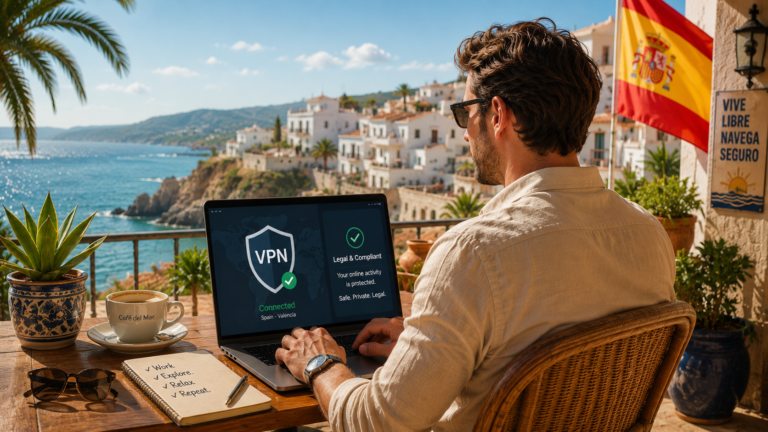
A VPN creates an encrypted tunnel between your device and a server in your chosen country. All your internet traffic — including your banking session — passes through this tunnel. Your bank sees the VPN server’s IP address in your home country rather than your hotel’s IP in Bali. Hackers on the same public network see only encrypted data, not your login credentials or account numbers.
The important distinction for banking is shared IP versus dedicated IP. With a shared IP, you and dozens of other VPN users share the same address — some banks recognise this pattern and flag it. With a dedicated IP, you get a fixed address that only you use, which looks to the bank exactly like a normal residential connection.
For most digital banks (Monzo, Starling, Revolut), a standard shared VPN connection works perfectly. For traditional high-street banks (Barclays, HSBC, Chase), a dedicated IP is the safer choice.
Best VPNs for Online Banking While Traveling
Banking demands more from a VPN than streaming or browsing does. You need reliable home-country servers, strong encryption, a kill switch that actually works, and ideally a dedicated IP option. These are the providers we have tested and confirmed to work for banking from abroad.
NordVPN — Best Overall for Banking
NordVPN is our top pick for a VPN for online banking while traveling because of its dedicated IP add-on. That fixed UK or US address eliminates the fraud-flag problem entirely — your bank sees the same IP every time, building trust over successive logins. Beyond dedicated IP, NordVPN runs 440+ UK servers and 1,900+ US servers, the largest home-country selection of any provider. The Threat Protection feature blocks phishing sites and malicious domains automatically, adding a layer of banking security on top of the VPN encryption itself.
ProtonVPN — Best for Financial Privacy
ProtonVPN is headquartered in Geneva under Swiss federal privacy law, which provides some of the strongest data protection in the world. For high-net-worth individuals, business travellers managing company accounts, or anyone concerned about financial surveillance, this Swiss jurisdiction matters. The Secure Core feature routes your connection through Switzerland before reaching the destination server, adding an extra layer between your banking session and any network-level monitoring. Open-source apps mean the security claims are independently verifiable.
ExpressVPN — Fastest Banking Connections
ExpressVPN’s Lightway protocol delivers the lowest latency to UK and US servers from most travel destinations. Banking pages load quickly even on slow hotel connections, and the TrustedServer technology runs every server on RAM only — nothing is written to disk, and everything is wiped on each reboot. If speed and server security architecture matter to you, ExpressVPN is the right choice. The 30-day money-back guarantee applies.
IPVanish — Best for Families
When multiple family members each need to access their own bank accounts from the same hotel, IPVanish’s unlimited simultaneous connections mean everyone is covered under one subscription. No device limits, no choosing who gets protection and who does not.
| # | VPN | Best For | |
|---|---|---|---|
| 1 |
NordVPN
Dedicated IP, 440+ UK servers
|
Banking reliability | Try NordVPN Risk-Free (75% Off) → |
| 2 |
ProtonVPN
Swiss zero-logs, Secure Core
|
Financial privacy | Try Proton VPN Risk-Free → |
| 3 |
ExpressVPN
Lightway, RAM-only servers
|
Speed | Try ExpressVPN Risk-Free → |
| 4 |
IPVanish
Unlimited devices
|
Family banking | Try IPVanish Risk-Free → |
Step-by-Step: How to Bank Safely Abroad
Step 1. Sign up for your VPN at the provider website before you travel. Download and install the app on every device you use for banking — phone, tablet, and laptop.
Step 2. Connect to a server in your home country before joining any public Wi-Fi. The order matters: VPN first, then Wi-Fi, then banking. This ensures no unencrypted traffic ever touches the hotel network.
Step 3. Open your banking app (not the browser). Banking apps use certificate pinning and additional security layers that browsers do not provide.
Step 4. Complete your banking session, then close the app before disconnecting the VPN.
Step 5. Enable auto-connect in your VPN settings so it activates automatically whenever you join an untrusted network. In NordVPN: Settings → Auto-connect → Enable on untrusted Wi-Fi.
What to Do If Your Bank Flags Your VPN
If your bank detects and blocks a VPN connection, the fix depends on which type of VPN IP you are using.
If you are on a shared VPN server, switch to a different server in the same country. VPN providers rotate their IP pools, and a fresh server may use an address the bank has not flagged. If switching servers does not help, upgrade to a dedicated IP — this permanently solves the problem because your bank sees a consistent, unique address that it learns to trust.
If you are already on a dedicated IP and still getting blocked, the issue is likely that the bank has flagged the login attempt itself (new device, unusual time), not the VPN. Call your bank, confirm it was you, and the restriction lifts. Setting a travel notification in your bank’s app before you leave reduces these calls significantly.
A dedicated IP also solves the related problem of PayPal, Wise, and Stripe flagging VPN logins. Payment processors use the same IP-reputation databases as banks, so the same shared-IP detection applies.
Country-Specific Banking Notes
UK banks (Barclays, HSBC, Lloyds, NatWest, Santander UK): Generally the most aggressive VPN detectors among developed-market banks. A dedicated UK IP from NordVPN is the most reliable approach. Monzo and Starling work fine with standard VPN connections.
US banks (Chase, Bank of America, Wells Fargo, Citi): Similar VPN detection to UK banks. NordVPN offers dedicated US IPs. Most US banking apps also support biometric authentication, which reduces reliance on IP-based trust.
EU banks (ING, Deutsche Bank, BNP Paribas): Generally less aggressive with VPN detection than UK or US banks. Standard VPN connections work for most EU banking from abroad.
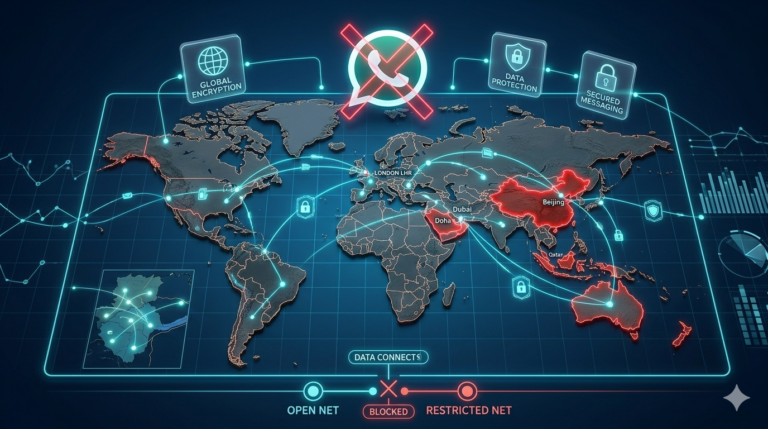
Banking from high-surveillance countries (China, UAE, Turkey, Russia): Standard VPN protocols may be blocked at the network level. NordVPN obfuscated servers and ProtonVPN’s Stealth protocol both bypass local VPN detection, letting you reach your home-country bank as normal.
Does Using a VPN Affect Your Bank Account?
Your bank sees the VPN server’s IP address — appearing as a normal connection from your home country. Most banks cannot distinguish a premium VPN connection from a standard residential one. The exception is when the VPN IP is on a known datacentre blocklist, which is why dedicated IPs exist.
A VPN does not change your account status, your balance, your transaction history, or any security settings. It only changes the IP address your bank sees when you log in. Your existing two-factor authentication, biometric login, and fraud protections all continue to work normally.
The key is avoiding free VPNs. Free providers use small, heavily shared IP pools that banks have almost certainly flagged. They also fund themselves through advertising or data collection — the opposite of what you want protecting your financial session.
Tell Your Bank Before You Travel
Even with a VPN handling your IP address, set a travel notification in your bank’s app before major trips. A VPN protects your online banking login, but it does not cover card transactions at ATMs or point-of-sale terminals abroad. The travel notification prevents those physical transactions from being declined.
Most UK and US banks offer travel notifications directly in their mobile apps under Settings or Security. Some banks (Monzo, Starling, Revolut) no longer require travel notifications at all.
Why Banks Block Your Login When You Travel
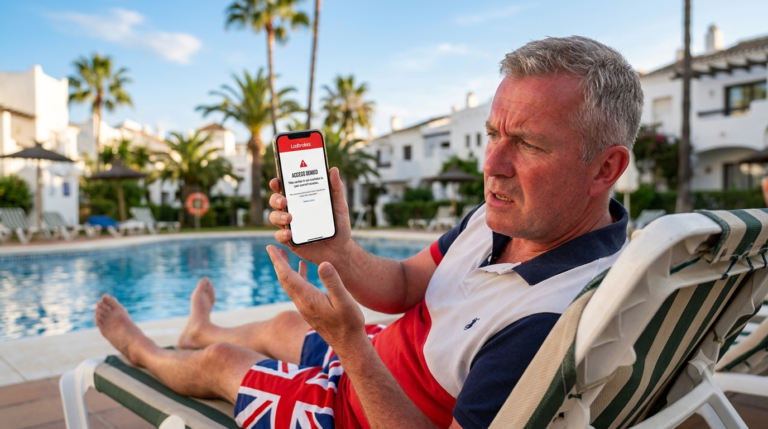
Every major bank uses IP geolocation as a fraud signal. When your Barclays or Chase account sees a login from a Thai IP address at 2am UK time, it looks indistinguishable from a stolen credential being used overseas. The result ranges from an SMS verification prompt to a full account freeze that requires an international phone call to resolve.
This is not paranoia on the bank’s part — overseas credential theft is one of the most common fraud vectors. But the system catches legitimate travellers in the same net. A VPN for online banking while traveling sidesteps this entirely by making your login appear from your home country, regardless of where you physically are.
The second problem is the network itself. Hotel Wi-Fi, airport hotspots, and coworking space connections are shared with strangers and frequently targeted by man-in-the-middle attacks. Without VPN encryption, your banking credentials travel over a network you do not control and cannot trust.
Which Banks Block VPN Connections?
Not all banks treat VPN traffic the same way. Some block it outright, some flag it for extra verification, and some do not detect it at all. Knowing which category your bank falls into determines what kind of VPN setup you need.
Banks that actively block or flag known VPN IP ranges include Barclays, HSBC, Lloyds, NatWest, Chase, Bank of America, and Wells Fargo. These institutions maintain blocklists of datacentre IP addresses associated with commercial VPN providers. If your VPN connects through a shared server that hundreds of other users also share, the bank may recognise that IP as a VPN endpoint and trigger additional verification or block the session.
The solution for these banks is a dedicated IP address — a fixed home-country IP that only you use. It builds a consistent login pattern that the bank’s fraud system learns to trust. NordVPN offers dedicated IPs as an add-on in the UK, US, Germany, France, and the Netherlands.
Banks that generally work fine with standard VPN connections include Monzo, Starling, Revolut, and most app-only digital banks. These tend to rely more on device fingerprinting and two-factor authentication than IP geolocation.
For a complete breakdown, see our full guide: Which Banks Block VPN? Complete 2026 List.
Frequently Asked Questions
Is it safe to use a VPN for online banking?
Yes. A VPN adds encryption to your banking session, which is especially important on public Wi-Fi. Premium VPNs like NordVPN and ProtonVPN are independently audited and keep no logs of your activity. The risk comes from not using one — unencrypted public Wi-Fi exposes your credentials to anyone on the same network.
Will my bank block me for using a VPN?
Some banks block known VPN IP ranges. Traditional banks like Barclays, HSBC, and Chase are the most likely to flag VPN connections. A dedicated IP add-on from NordVPN solves this because it gives you a fixed address the bank learns to trust. Digital banks like Monzo and Starling rarely flag VPN connections.
Which VPN is best for online banking while traveling?
NordVPN is the best overall choice because of its dedicated IP option, which prevents banks from flagging your connection. ProtonVPN is best for financial privacy under Swiss law. ExpressVPN is fastest for banking on slow hotel connections.
Should I use a free VPN for banking?
No. Free VPNs use small, heavily shared IP pools that banks have almost certainly blocked. They also fund themselves through data collection or advertising, which undermines the privacy you are trying to protect. A premium VPN with a money-back guarantee is the safe approach.
Do I need a dedicated IP for banking with a VPN?
For traditional banks like Barclays, HSBC, and Chase, a dedicated IP significantly reduces the chance of being flagged. For digital banks like Monzo, Starling, and Revolut, a standard VPN connection usually works fine without a dedicated IP.
Can I use a VPN for banking on public Wi-Fi?
Yes, and you should. Public Wi-Fi in hotels, airports, and cafes is inherently insecure. A VPN encrypts your entire session, preventing anyone else on the network from intercepting your banking credentials or session tokens.
Why a Paid VPN Is the Only Safe Option for Banking Abroad
When you are logging into your bank account from abroad, you are transmitting login credentials, account numbers, and transaction data over the internet. Free VPN services are a genuine risk for this kind of activity. Research has shown that many free VPN apps lack proper encryption, keep logs of browsing data, inject advertising, or sell user information to third parties. A single data breach from a compromised VPN could expose your banking credentials.
A paid VPN subscription from NordVPN or ProtonVPN costs less than a single ATM fee per month and gives you AES-256 military-grade encryption, independently verified no-logs policies, and automatic kill switches that immediately cut your connection if the VPN drops during a banking session. For anyone accessing their bank account from abroad, this is not an optional extra. It is basic financial security.
What Else Your Banking VPN Covers
A VPN subscription is not a single-purpose purchase for banking. Once you have NordVPN or ProtonVPN installed, the same subscription covers everything else you need abroad. Stream BBC iPlayer, ITV Hub, Channel 4, and your full home-country Netflix library every evening. Watch live Premier League and Formula 1 on UK streaming platforms.
Access investment platforms like Trading212, eToro, and Robinhood without geo-blocks. Place bets on UK bookmakers like Paddy Power, Sky Bet, and William Hill. Play the National Lottery from abroad. Access government portals like myGov and HMRC. One subscription covers banking, investing, streaming, betting, and privacy across every device in your household for less than a coffee per week.
Related Guides
- Which Banks Block VPN?
- Manage ISA Abroad
- Hargreaves Lansdown Abroad
- File FBAR Abroad
- Public Wi-Fi Safety Tips for Travelers
- Best VPN for Expats in Dubai
- Best VPN for US Expats Abroad
- Best VPN for Expats in Singapore
- NordVPN Review for Expats
- Monzo Not Working Abroad
- Starling Bank Not Working Abroad
Expat Essentials
Affiliate Disclosure: This article contains affiliate links. If you purchase a VPN through our links, we may earn a commission at no additional cost to you. We only recommend VPNs we have personally tested and trust.